ข้ามไปยังบริการSkip to services
ARTS INTRANET / พื้นที่ดิจิทัลของชาวอักษรฯYOUR DIGITAL CAMPUS
เชื่อมต่อการเรียนรู้Connect your learning.
และการทำงานของคุณSimplify your work.
ทางลัดสู่บริการดิจิทัลของจุฬาฯ สำหรับชาวอักษรศาสตร์ ค้นหาข้อมูลบัญชีผู้ใช้ เครือข่าย และเครื่องมือที่ต้องการได้จากที่เดียวA starting point for the Arts community to find Chula’s digital services, account information, connectivity guides and everyday tools.
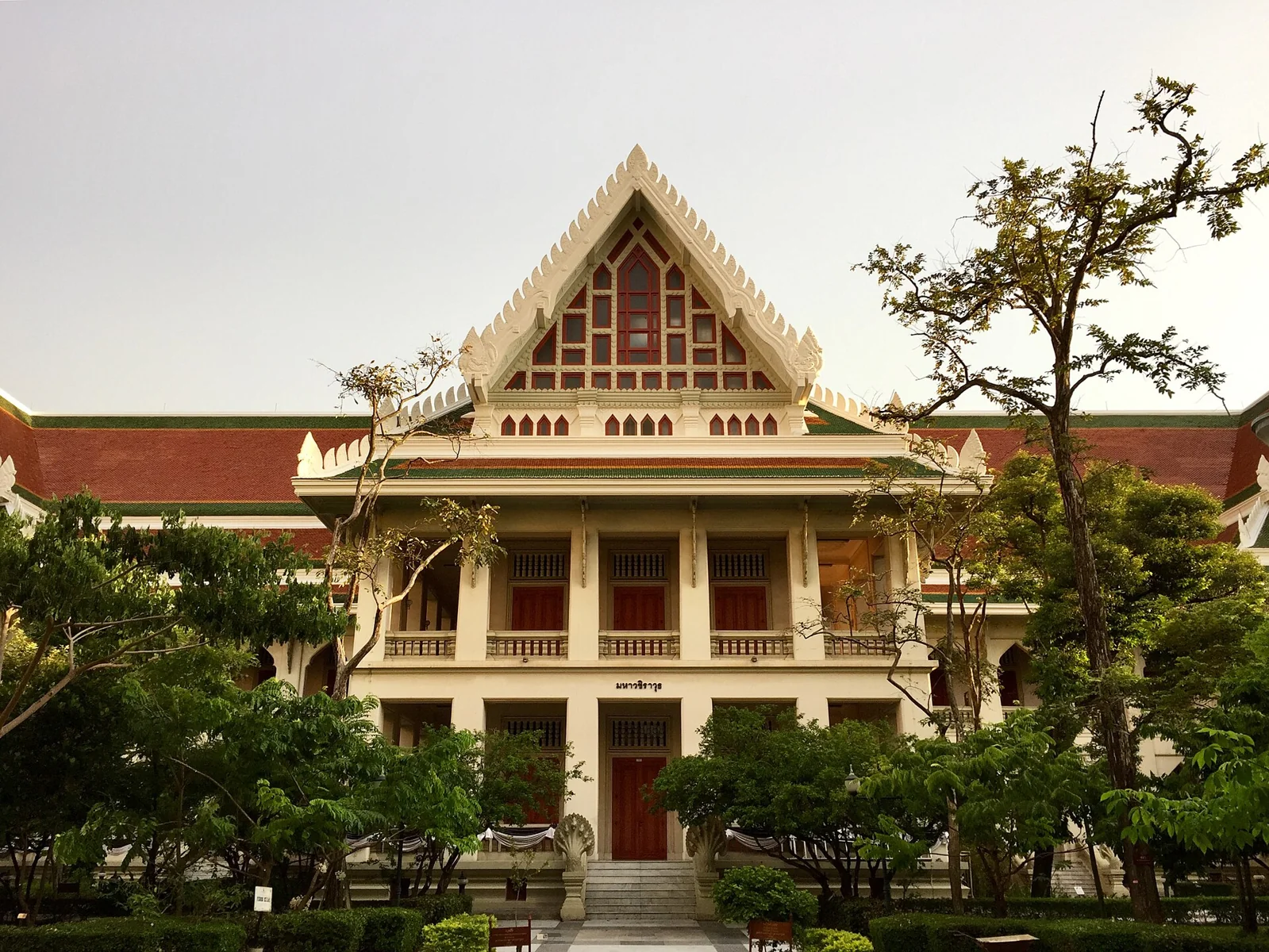
อาคารมหาวชิราวุธ · ภาพ: Mahavajiravudh Building · Photo: BunBnเปิดแท็บใหม่Opens in a new tab · CC BY-SA 4.0เปิดแท็บใหม่Opens in a new tab
บริการที่คุณต้องการ อยู่ใกล้ขึ้นFind your next useful connection.
คัดบริการส่วนกลางจากสำนักบริหารเทคโนโลยีสารสนเทศ จุฬาฯ เพื่อให้เข้าถึงข้อมูลและคู่มือได้สะดวกA selection of central university services from IT Chula, with direct links to official information and guides.
ดูบริการทั้งหมดบน IT Chula ↗All services on IT Chula ↗เปิดแท็บใหม่Opens in a new tab
จัดการบัญชี CUNETManage CUNET accountเปิดแท็บใหม่Opens in a new tab
ข้อมูลการเปลี่ยนหรือรีเซ็ตรหัสผ่านบัญชีมหาวิทยาลัยInformation on changing or resetting your university account password.
อีเมลบุคลากรStaff emailเปิดแท็บใหม่Opens in a new tab
ข้อมูลและคำแนะนำสำหรับอีเมลบุคลากรInformation and guidance for staff email.
อีเมลนิสิตStudent emailเปิดแท็บใหม่Opens in a new tab
ข้อมูลและคำแนะนำสำหรับอีเมลนิสิตInformation and guidance for student email.
CUNET AccountCUNET Accountเปิดแท็บใหม่Opens in a new tab
ทำความรู้จักบัญชีผู้ใช้ของมหาวิทยาลัยLearn about university user accounts.
เครือข่ายไร้สายWireless networkเปิดแท็บใหม่Opens in a new tab
ดูข้อมูลบริการและการเชื่อมต่อ Wi-FiFind wireless network information and connection guides.
VPNVPNเปิดแท็บใหม่Opens in a new tab
ดูข้อมูลและขั้นตอนใช้งานบริการ VPNRead about the VPN service and setup steps.
Microsoft 365Microsoft 365เปิดแท็บใหม่Opens in a new tab
ตรวจรายละเอียดบริการ Microsoft 365 ของจุฬาฯView official information on Chula’s Microsoft 365 service.
Google WorkspaceGoogle Workspaceเปิดแท็บใหม่Opens in a new tab
ดูข้อมูลบริการ Google Workspace ของมหาวิทยาลัยExplore information on university Google Workspace services.
ZoomZoomเปิดแท็บใหม่Opens in a new tab
ดูข้อมูลบริการประชุมทางไกลและคู่มือใช้งานRead about the video meeting service and its guides.
AdobeAdobeเปิดแท็บใหม่Opens in a new tab
ตรวจรายละเอียดการใช้งานซอฟต์แวร์ AdobeCheck official information on Adobe software access.
LessPaperLessPaperเปิดแท็บใหม่Opens in a new tab
ดูข้อมูลระบบ LessPaper ของมหาวิทยาลัยView information about the university LessPaper system.
ลายมือชื่ออิเล็กทรอนิกส์e-Signatureเปิดแท็บใหม่Opens in a new tab
ดูรายละเอียดบริการลงลายมือชื่ออิเล็กทรอนิกส์Find details about the electronic signature service.
ไม่พบบริการที่ตรงกับคำค้น ลองใช้คำอื่นหรือล้างการค้นหาNo matching services. Try another search or clear the filters.
สิทธิ์ใช้งานและเงื่อนไขเป็นไปตามแต่ละบริการ โปรดตรวจรายละเอียดจากผู้ให้บริการก่อนใช้งานEligibility and terms vary by service. Please check the official service information before use.
IT CHULA / ความช่วยเหลือส่วนกลางCENTRAL SUPPORT
ต้องการความช่วยเหลือ?Need a hand?
ดูคำถามที่พบบ่อย หรือติดต่อสำนักบริหารเทคโนโลยีสารสนเทศโดยตรง ลิงก์แจ้งปัญหาและขอใช้บริการอาจต้องเข้าสู่ระบบจุฬาฯBrowse frequently asked questions or contact IT Chula directly. Incident and service request links may require a Chula login.
ติดต่อ IT ChulaContact IT Chulaเปิดแท็บใหม่Opens in a new tab